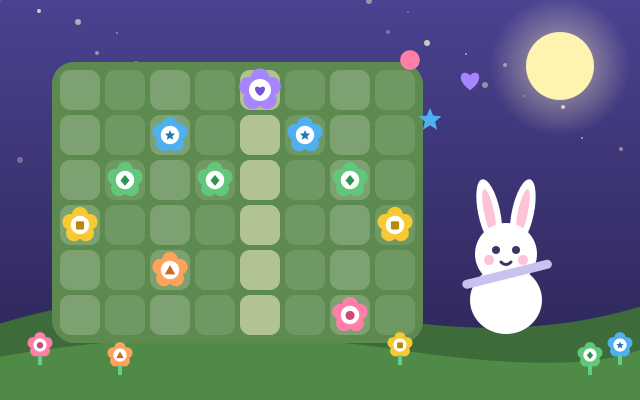
This is a composing studio in a garden at night. The flower bed is a grid of time × pitch: each box is one note on one beat. Tap a box and a note flower blooms. Press play and a glowing line sweeps across, singing every flower in turn and looping so you can listen while you change things.
A song has three tracks: Melody (plant several flowers on one beat for harmony), Bass (one note at a time) and Drums (kick, tom, snare, clap, hi-hat and triangle). Melody can be piano, music box, flute, marimba, synth or guitar; bass can be double bass, synth bass or tuba; drums can be a drum kit, electro or hand drums. Every sound is synthesized live in the browser. All the notes come from one five- or six-note scale, so whatever you plant sounds good, and you can switch between four scale moods (Bright, Gentle, Dreamy, Breezy), change the tempo and turn on swing.
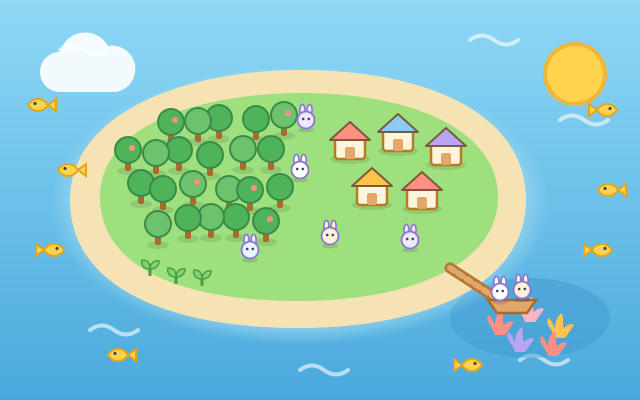
Write up to four parts, A to D, then use Arrange to line them up into a song of up to 8 boxes, such as A A B A. Press Show and a bunny, a bear and a cat play your song on a moonlit meadow: the melody grows flowers, the bass makes the bear bounce and the drums light up fireflies, with applause at the end.
There are also 12 easy-going composing missions, such as a melody that climbs, a harmony, a "question and answer" phrase and an A B A song shape. Each one earns a badge, with no timers and no wrong answers. There are 6 save slots, and you can start from one of 3 original example songs or a surprise song and remix it.
How to play
- Press "Start composing". Holding the screen upright, time runs top to bottom and pitch goes low to high from left to right; sideways, time runs left to right and pitch goes low to high from bottom to top. Every row has its own color and symbol (circle, triangle, square, diamond, star, heart).
- Tap a box to plant a note flower, or slide your finger to plant several; tap it again to pull it out. Press the green play button and the part loops, so you can keep changing it while it plays.
- At the top, switch between the Melody, Bass and Drums tracks and Parts A to D. The wand (Tools) makes up this track for you, clears it, or copies the whole part to another part. The sliders (Sound) change the instrument, scale mood, tempo and swing. Made a mistake? Press Undo.
- Tap the purple Arrange button to line up parts into a song (tap a box to change its part, or pick a common song shape), and the blue button plays the whole song. The yellow Show button lets the animal band play it from start to end. On the title screen, Missions shows which badges are still waiting.
Controls
- Phone / tablet: tap a box to plant or pull a note flower, or slide your finger to plant several (the first box decides whether the stroke plants or pulls). Switch Melody / Bass / Drums and Parts A–D at the top; the buttons at the bottom play, undo, open Tools and Sound, and start the Show.
- Mouse: click a box, or hold the button and drag to plant a row of them.
- Keyboard: arrow keys move the cursor and Space plants / pulls; Enter plays this part, P plays the whole song, 1–4 switch parts, T switches Melody / Bass / Drums, Z undoes, Esc goes back.
For parents
- Made for ages 9–12 (teens and adults enjoy it too). It uses a step sequencer, a real composing tool, so children get hands-on with beat, pitch, harmony, the roles of bass and drums, and song shapes such as phrases, question-and-answer and A B A. All notes share one scale, so it sounds good without any music theory first.
- It is open-ended creation with no right or wrong, no losing and no timers; missions are optional little goals. There is nothing to play along to and no rhythm to keep. Every row has a symbol as well as a color, so it works for children with color-vision differences. There is no chat, in-app purchases, ads or outbound links, and no name or personal information is ever asked for.
- Every sound is synthesized live in the browser (no audio files), and the example songs were written for this game. Songs and badges are kept only in this device's browser and are never uploaded or shared. If saving is blocked the game still works, but songs disappear when it closes. Sound can be switched off at the top right, and erasing a song always asks first.