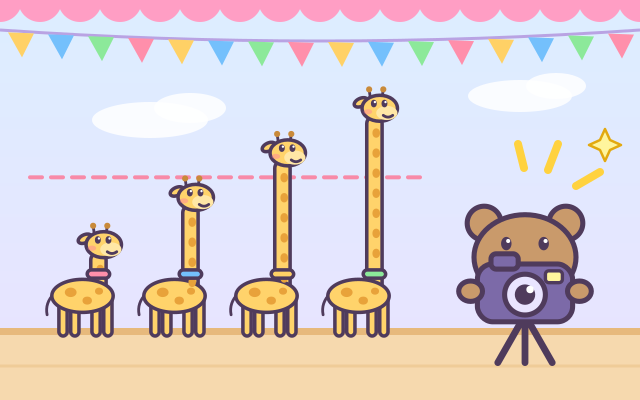
Photographer Bear wants a group photo, but everyone is standing in a muddle! Your child rearranges the 3–5 things on the stage into one neat line: drag a thing between two others and the rest step aside. The moment the whole line is right, Bear calls "Say cheese~", everyone hops, and "Click!" out comes the photo.
Every photo compares something different: giraffes and potted flowers by height, pumpkins, teddy bears and snowmen by size, juice glasses and honey jars by how full they are, and snakes and crayons lying down by length. A little staircase sign next to the rule and a star on the stage show which end the line starts from and whether it grows or shrinks, so no reading is needed.
There are 6 levels of 4 photos each, freshly generated every time. Early lines have 3 things with big differences; later ones have 4–5 things that are closer in size, "biggest first" lines, and late-comers: everyone is already lined up and the new friend must slip into the right gap. Each finished level shows its 4 photos as a little album.
How to play
- Tap "Play!". The yellow button lets you pick level 1 to 6.
- Read the rule at the top, for example "Shortest to tallest": the staircase sign grows from the starred end, and the star at the bottom left of the stage marks the first place in the line.
- Drag a thing to where you want it and let go; the others step aside. Or tap one thing and then another to swap them. The pink dashed line on a lifted thing helps you compare it with its neighbours.
- Nothing is ever marked wrong while you arrange; the photo is taken as soon as the line is right. If you get stuck, Bear asks "Who is the shortest?" and that thing wiggles; a little later its correct place lights up.
- Late-comer rounds: the thing with a sparkling star above it is the new friend. Slide it into the right gap in the line.
- After each photo, tap the green arrow for the next one. Take all 4 photos to finish the level and move on.
Controls
- Phone / tablet: hold a thing and drag it left or right (up or down in the length rounds), then let go between two others. The rest step aside by themselves.
- You can also tap: tap one thing (it lifts up and sings its note), then tap another and the two swap places. Tap the same thing again to put it down.
- A lifted thing shows a pink dashed line, so it is easy to compare it with its neighbours: taller, longer or fuller?
- Mouse: drag, or click two things to swap them, just like touch.
- Keyboard: ← → (or ↑ ↓ in the length rounds) choose a thing, Enter / Space picks it up, the arrow keys move it, Enter puts it down. Esc puts it down or returns to the title; on the title screen, 1–6 jump to a level.
For parents
- Made for ages 3–5, with later levels (4–5 things, small differences, "biggest first" and late-comers) that still challenge 6–8 year olds. Children practise comparing and ordering (seriation), an early maths idea that later supports number lines, measuring and "more than / less than". Height, length, size and amount take turns, so children discover that ordering always works the same way: find the smallest (or biggest), then the next one.
- Things always stand on the same floor (or start at the same wall in length rounds), and a lifted thing shows a dashed line to compare against: the "start from the same line" idea behind measuring. Tapping a thing plays its note: bigger things sound lower, smaller things higher.
- There is no losing, no score to lose and no timer: nothing is marked wrong while arranging, and the photo is taken only when the line is right. When a child is stuck, a question comes first, then the right spot glows, so they still finish it themselves. Play never depends on colour or reading. There is no chat, no in-app purchases, no ads and no outbound links, and no name or personal information is ever asked for.
- Only the current level, finished levels and the sound setting are remembered, in this device's browser (the game still works if saving is blocked); photos are never uploaded or stored. Sound can be switched off with the speaker button, and the game also works offline.