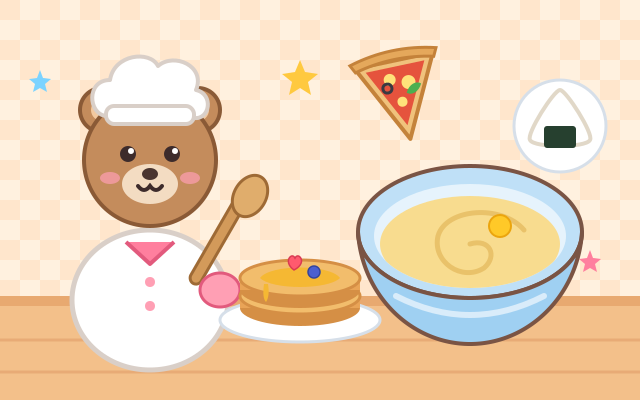
Welcome to Chef Bear's kitchen! The recipe book holds 8 dishes from around the world: pancakes, pizza, onigiri, dumplings, tacos, bibimbap, chapati and fruit salad. Each time a hungry animal friend orders a dish, and your child is today's little chef.
A picture strip at the top shows each step, and every step uses a real cooking motion. Pour flour, milk and egg into the bowl, then stir round and round as the lumpy mix turns smooth. Push the rolling pin until the dough becomes a round pizza base. Pat rice into a triangle onigiri and swipe up to wrap the seaweed. Shake on some cheese, then add toppings freely: as many as you like, wherever you like.
When something needs baking, frying or steaming, Chef Bear puts it in the oven or pan while your child watches the stars light up, so there are no hot surfaces to touch and no knives at all. Then bring the plate to the guest, watch every bite disappear, and a photo of the dish goes into the recipe book. Sauces, fillings and toppings can change every time, so no two dishes come out the same.
How to play
- Tap "Let's cook!" and pick a dish from the menu. An animal friend comes to order it. The yellow book button opens the recipe book with the dishes you've made.
- The big circle in the strip at the top is the current step; ticked dots are finished steps. The white hint box below tells you what to do.
- Pour: drag an ingredient from the tray into the bowl (or tap it). Stir: circle your finger in the bowl. Roll: push the rolling pin up and down. Shape: pat the food. Wrap: swipe up. Cheese or sesame: hold and wiggle side to side. Any of these can also be done by tapping the big button below, one bit at a time.
- Choosing a sauce or filling: tap whichever you like; there is no wrong answer. Toppings: tap a topping, then tap where it goes on the food (or drag it there), and press the green "Done!" when you're happy.
- Chef Bear handles the baking, frying and steaming; it's ready when three stars light up. Finally push the plate up to the guest (or tap it). When the plate is empty you get a "Yummy!" stamp. Cook the same dish again or pick another one.
Controls
- Phone / tablet: every step uses a real cooking motion. Drag ingredients from the tray into the bowl, circle your finger in the bowl to stir, slide up and down to push the rolling pin, pat the food, swipe up to wrap or fold, wiggle to shake on cheese, then push the plate up to your guest.
- Gestures tricky? Tap the big button under the stage (or keep tapping the stage). Each tap does a little of the job, so every dish can still be finished.
- Mouse: hold and drag for the gestures; single clicks work too.
- Keyboard: Space / Enter does one bit of the current step, 1–4 pick an ingredient or topping, Enter says "Done!" while adding toppings, and Esc goes back.
For parents
- Made for ages 3–5 and still fun at 6–8. Following a picture recipe through several steps builds a sense of sequence ("first this, then that"), and the different motions (pouring, circling, pushing, patting, swiping and shaking) practise fine motor skills and hand–eye coordination. The 8 dishes come from different food cultures, which makes a nice starting point for talking about food or cooking a simple version together at home.
- There is no losing, no timer and no score. Each step asks for one thing, and doing it always moves you forward; sauces, fillings and toppings are a free choice with no wrong answers. Chef Bear does all the baking, frying and steaming, and there are no knives, flames or burns on screen. Children who can't do the gestures yet can finish by tapping. There is no chat, no in-app purchases, no ads and no outbound links, and no name or personal information is ever asked for.
- Only how many times each dish was made, the look of the latest one, the last guest and the sound setting are remembered, in this device's browser (the game still works if saving is blocked). Sound can be switched off with the speaker button, and the game also works offline.