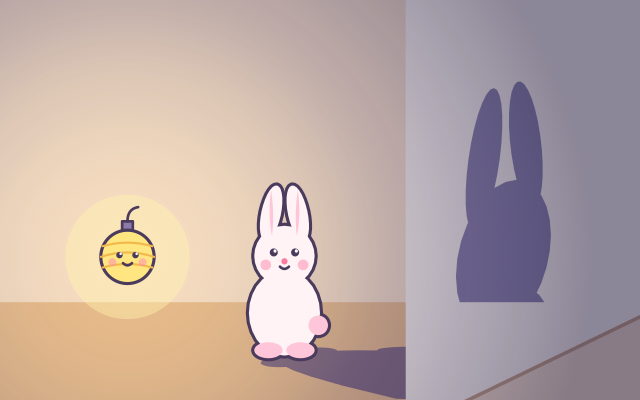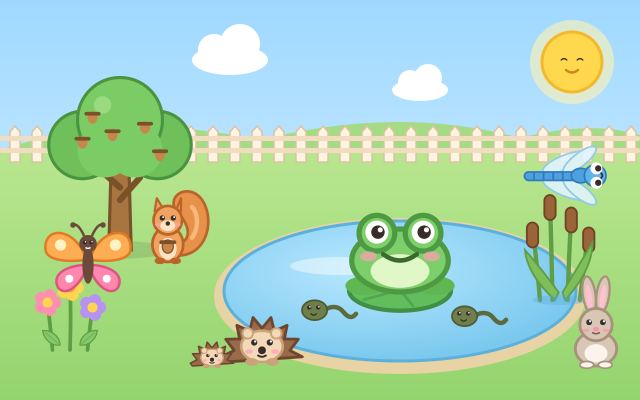
An empty little yard with grass and a small pond. Behind a bush in the corner, an animal peeks out, hoping to move in. Its thought bubble shows what it needs: a frog wants lily pads and reeds, a hedgehog wants a leaf pile and a log, a bird wants a bird box and a water bowl, and a turtle wants a sunny rock and some sand to lay its eggs in.
Your child takes things from the tray and puts them in the yard. Each right one gets a tick in the bubble, and once everything is there the animal hops in and settles at its favourite spot. Then you see how its babies grow: frog spawn becomes tadpoles, then froglets with legs, then frogs; a caterpillar becomes a chrysalis and then a butterfly; bird eggs hatch into chicks. The babies stay in the yard with their parents.
Other things are never wrong: they often attract surprise guests. Put out flowers and a bee buzzes over; add reeds and a dragonfly appears. Each yard has 4 animals with wishes, out of 12 in all (frog, butterfly, dragonfly, bee, ladybug, duck, turtle, bird, hedgehog, squirrel, rabbit and snail), in a different order every time. Animals you have met go into the yard notebook, where their life cycles can be watched again. There is also free play, where all 13 items can be placed freely to see who turns up.
How to play
- Tap "Let's build!" to enter the yard. The animal peeking from the bush in the top-left corner wants to move in: look at what its bubble shows. The 4 circles at the top are this yard's 4 new residents.
- Drag things from the tray anywhere in the yard (or tap one and it places itself). Each thing in the bubble gets a tick once it's in the yard; when everything is ticked, the animal moves in.
- After it moves in you see how its babies grow up. Tap "So cute!" to carry on, and the babies appear in the yard.
- Placing other things is fine too: a surprise guest may move in. If you wait a while, the things that are needed glow in the tray as a hint.
- When all 4 residents have arrived the yard is finished: start a new yard or open the notebook. The blue flower button is free play (the yellow arrows show more items), and the yellow book button opens the yard notebook, where tapping an animal replays its life cycle.
Controls
- Phone / tablet: drag things from the tray (lily pads, reeds, flowers, logs, a bird box…) into the yard and drop them anywhere. Water plants dropped on the grass slide into the pond by themselves, and land plants dropped in the pond are nudged back to the bank.
- Dragging tricky? Just tap a tray item and it finds a free spot in the yard by itself. Placed things can be dragged somewhere else later, and tapping an animal makes it say hello.
- Mouse: click and drag, or simply click.
- Keyboard: ← → choose an item, Enter / Space puts it in the yard, 1–4 place an item directly, Esc goes back. In free play, [ ] or Page Up / Page Down show more items.
For parents
- Made for ages 3–5 and still fun at 6–8. It introduces the idea of a habitat: animals live where they find food, water, shelter and a safe place for their babies. Every need comes from real ecology (frogs lay eggs among water plants, caterpillars eat leaves, hedgehogs shelter in leaf piles and logs, turtles lay eggs in sand), and the pictures show complete and incomplete metamorphosis in frogs, butterflies, ladybugs, bees and dragonflies, as well as baby birds, reptiles and mammals growing up. It's a nice starting point for talking about which animals might visit a local park, pond or balcony.
- There is no losing, no timer and no score. Nothing is ever rejected; other items simply attract different animals, and after a while the needed items glow as a hint. There is no hunting or anything scary on screen: animals just move in and raise their young. Everything works through pictures, so no reading is needed. Both dragging and tapping work, and every touch target is at least 64px. There is no chat, no in-app purchases, no ads and no outbound links, and no name or personal information is ever asked for.
- Only which animals have been met (and how often), the number of finished yards and the sound setting are remembered, in this device's browser (the game still works if saving is blocked). Sound can be switched off with the speaker button, and the game also works offline.